Managing Users
info
The Manage User Function allows lab admins to search for users in Pinpoint's database, check their Badges access, reset Canvas Badges Connections, and view their swipe history.
Overview
The User Overview Page provides:
- User information:
- UID
- Directory ID
- Admin Status
- Number of visits to your lab
- Badge Status
- Badges known to Pinpoint which have been detected
- Badges unknown to Pinpoint which have been detected (These can be viewed via the dropdown menu)
- Canvas Badge Connection Status
- This section shows if the user has connected to Canvas Badges
- Admins can also reset a user's badges connection for debugging
Using The Search Function
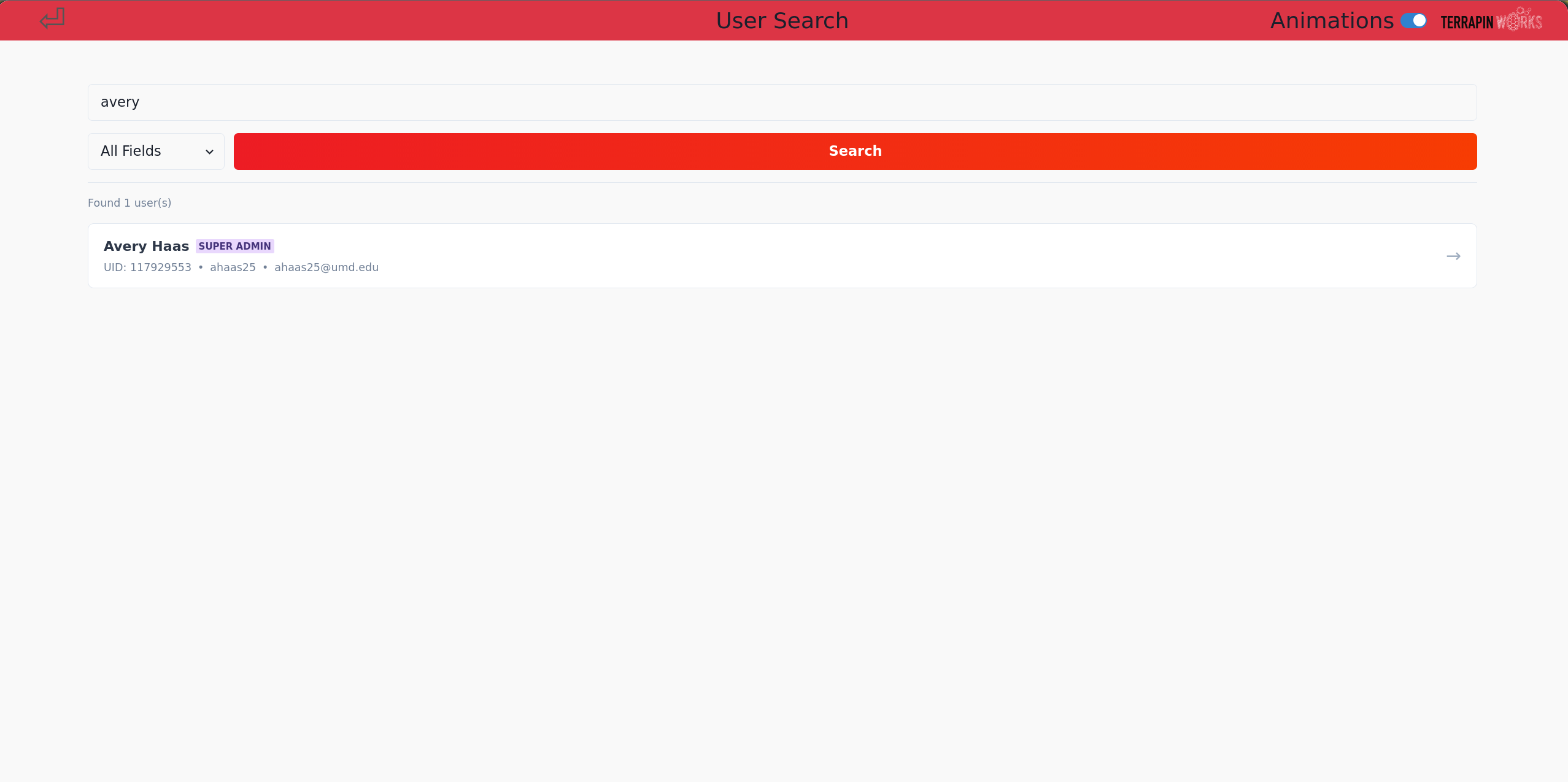
- The search function supports searching users by first or last name, UID, or directory ID.
- Search for the user you'd like to view details on using your desired search query, then press Enter or the
Searchbutton - A list of users matching your query will generate below the search box. Select the user you'd like to view details on
Viewing User Details
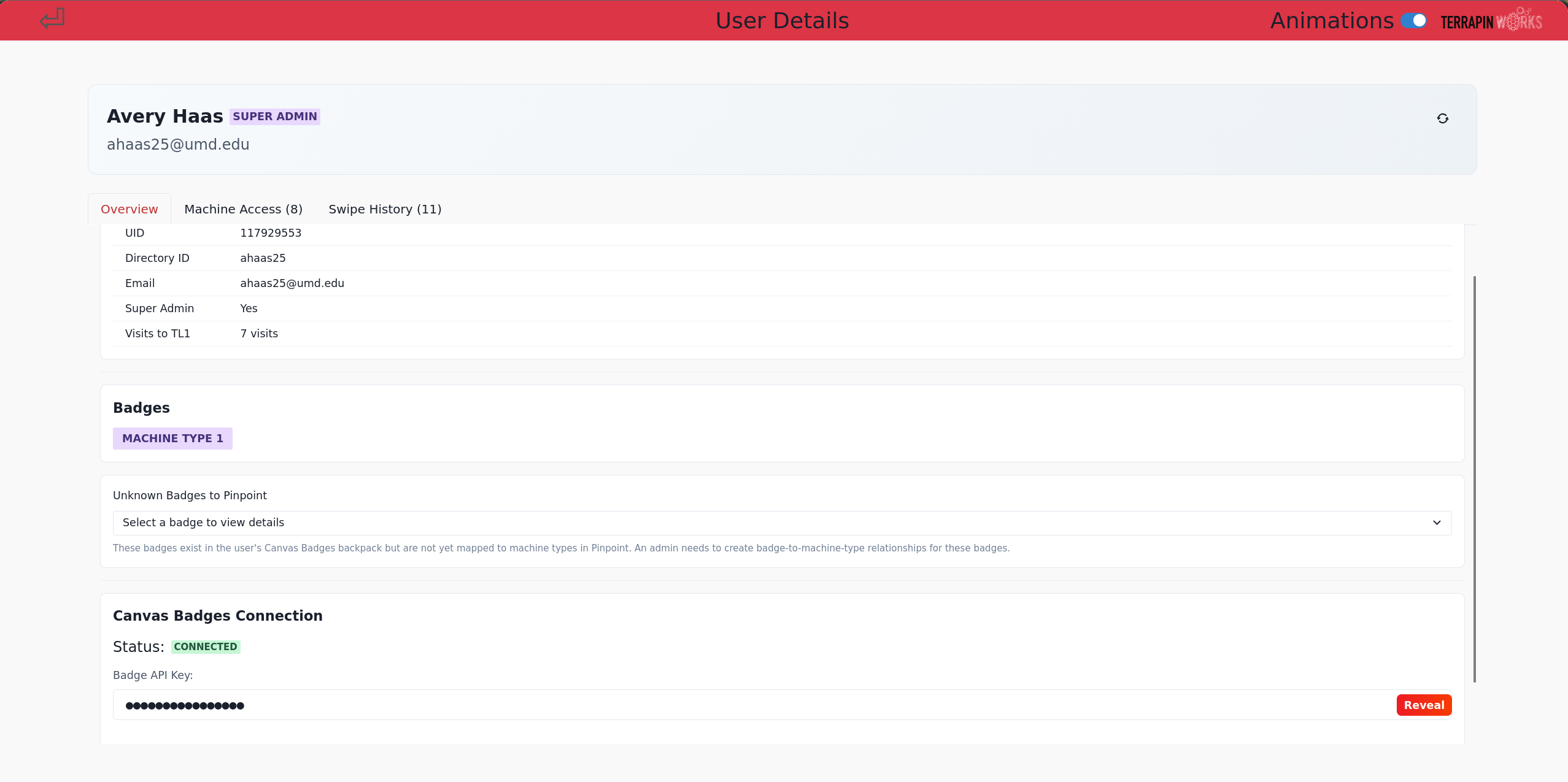
- Once a user is selected, you will see a screen similar to above.
- As described above, this page shows user information such as UID, directory ID, etc.
-
Badges Status
- When viewing a user, the system queries the badges API and checks the status of the user's connection.
- The system automatically detects issues and will report them here.
- Error Loading Badges:

- This message indicates the user has badges connected, but their certifications could not be loaded.

- This message indicates badges are successfully connected, but the user does not have any recognized badges to Pinpoint

- You should see something like the image above if the user has badges connected correctly and has certifications recognized by Pinpoint. Earned badges will be listed here.
- Error Loading Badges:
Viewing User Machine Access
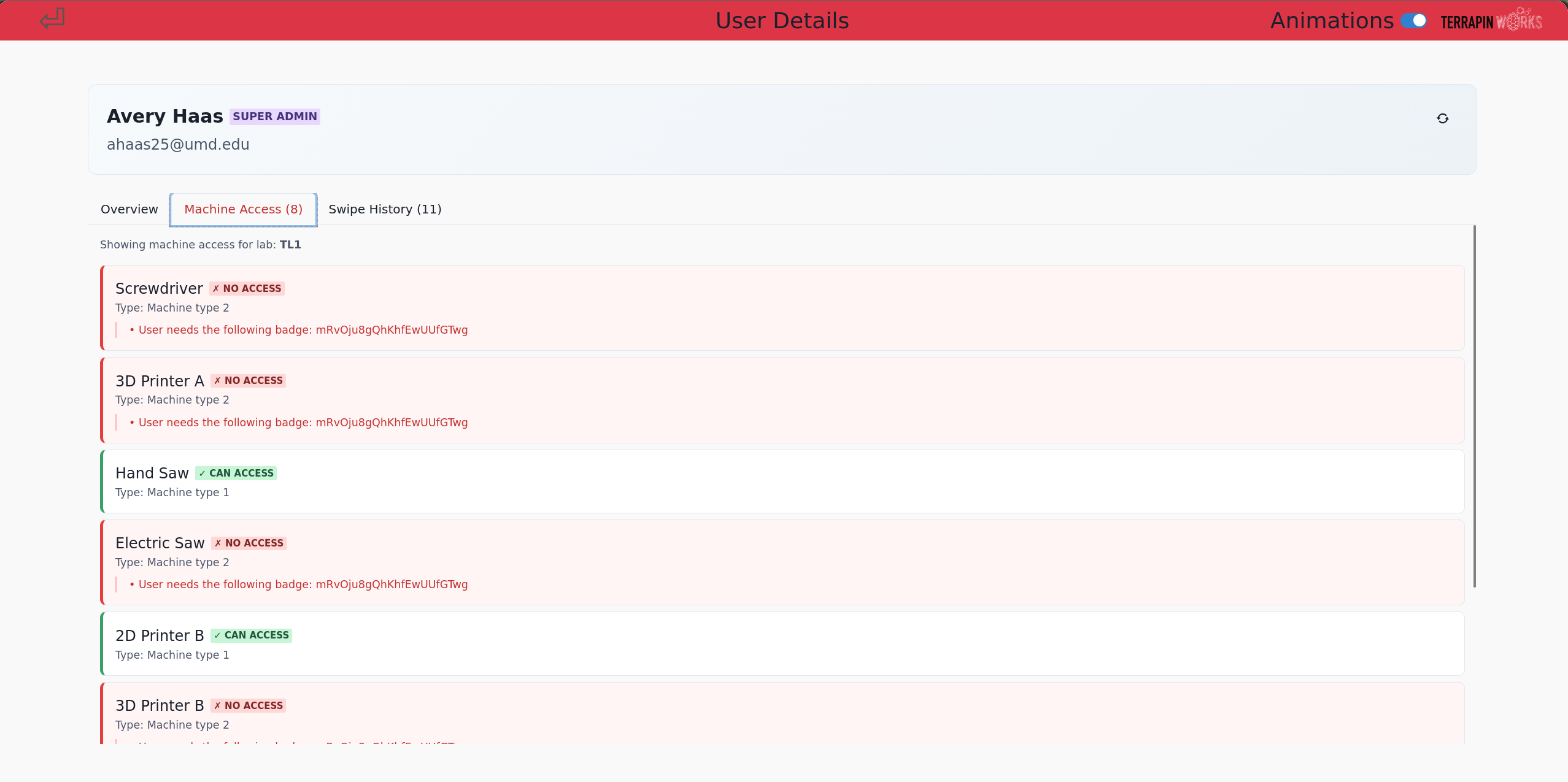 The User Details page allows admins to view what machines a user has access to, and see what badges are missing to access a certain machine.
To access this page:
- Click on the tab
Machine Access (x)
Viewing Swipe History
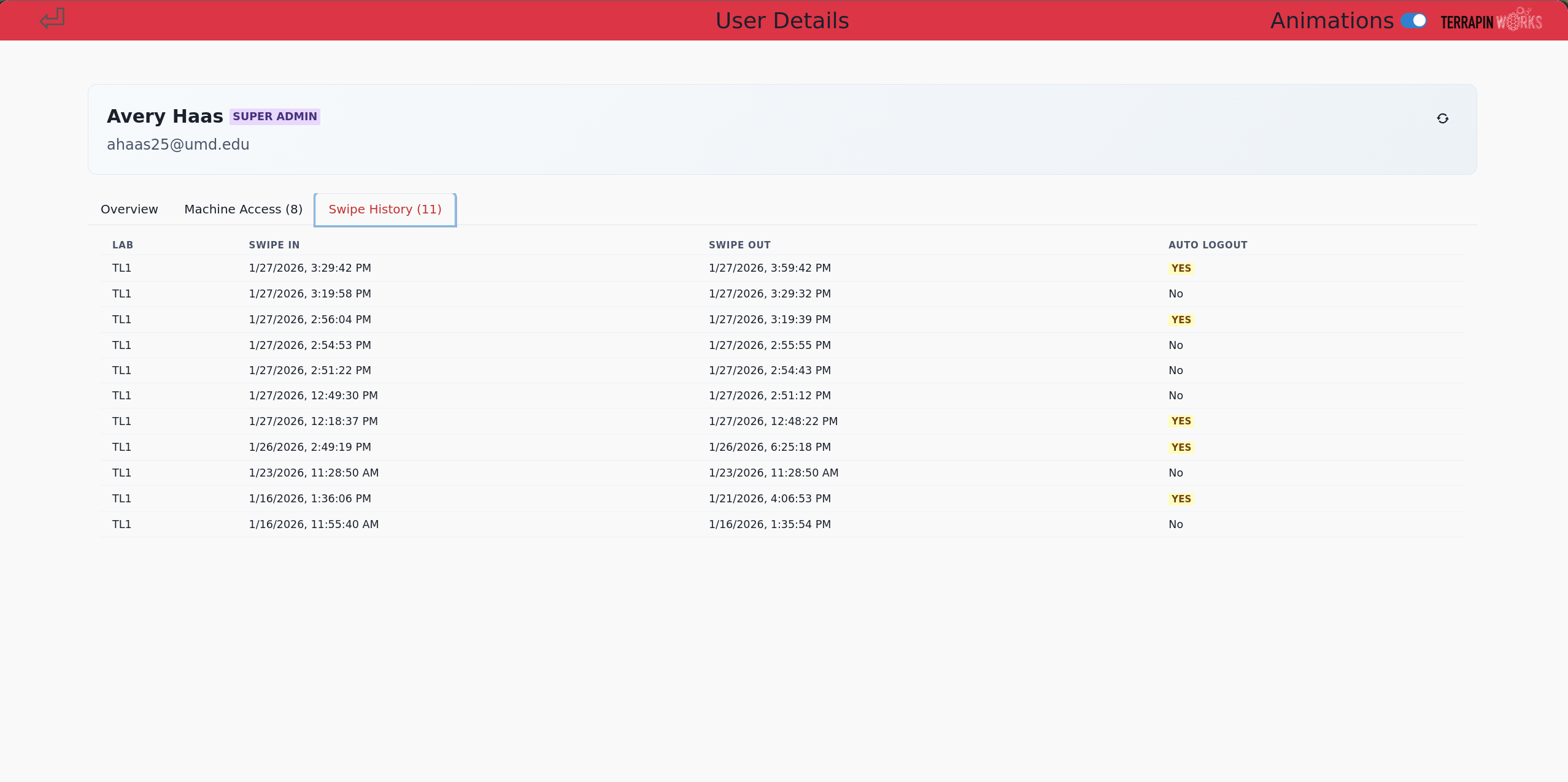 The User Details page allows admins to view a user's swipe log history. The swipe log history shows when a user swiped in and out, and if the swipe-out was automatic.
To access this page:
- Click on the tab
Swipe History (x)