Viewing Swiped-in Users
info
The Lab Status page shows you who is currently using your makerspace and what equipment they're using. It automatically refreshes to stay current.
Overview
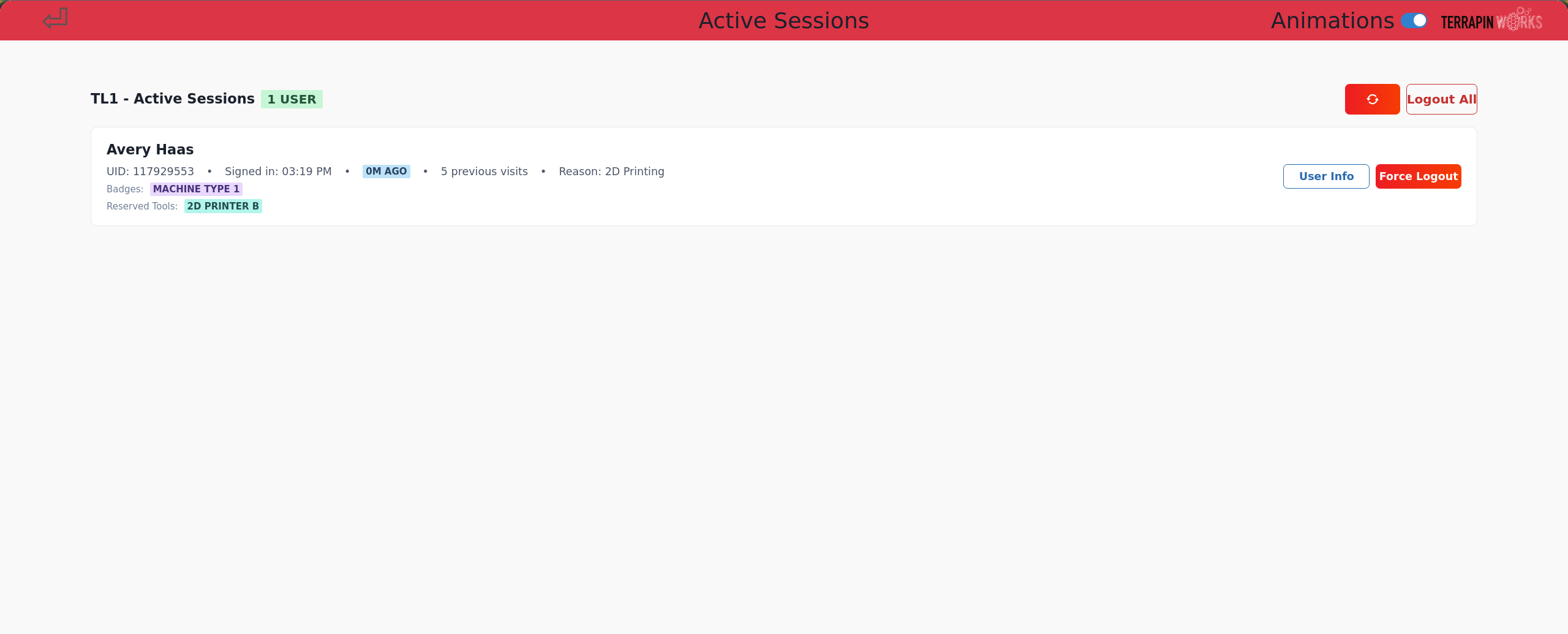
The Lab Status page provides:
- Real-time view of active users
- At-a-glance information about active users, including badges, lab visit time, previous visits counter, and reason for using the lab
- Equipment currently in use
- Automatic updates
Understanding the Lab Status Page
The Lab Status page shows:
- Users: Currently swiped-in users
- Reserved Tools: Machines each user has reserved
- Duration: How long each user has been active
tip
If you need the most up-to-date information, you can press the refresh icon in the top left corner.